In this chapter, we’ll jump right in on how Minecraft renders things. There’s a lot of things Minecraft can render - blocks (the terrain), entities, the sky, clouds, water, etc…
All of them are rendered by different programs, known as geometry buffers (gbuffers).
Let’s take this unassuming sheep, for example.
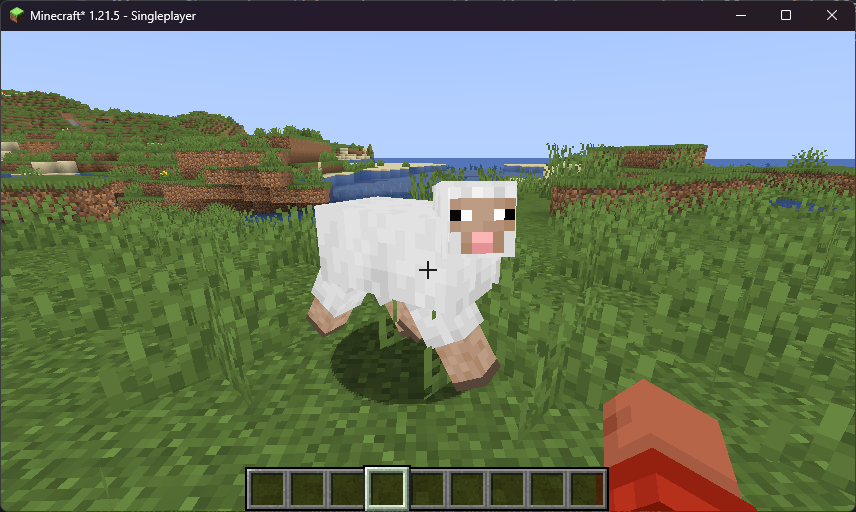
Let’s go to the entities g-buffer. This g-buffer renders - you’ve guessed it, entities! It’s contained in gbuffers_entities.fsh and gbuffers_entities.vsh.
Remember fragment and vertex shaders? fsh stands for fragment shader, and vsh stands for vertex shader. Let’s mess around with the fragment one for now.
#version 330 compatibility
uniform sampler2D lightmap;uniform sampler2D gtexture;uniform vec4 entityColor;
uniform float alphaTestRef = 0.1;
in vec2 lmcoord;in vec2 texcoord;in vec4 glcolor;
/* RENDERTARGETS: 0 */layout(location = 0) out vec4 color;
void main() {  color = texture(gtexture, texcoord) * glcolor;  color.rgb = mix(color.rgb, entityColor.rgb, entityColor.a);  color *= texture(lightmap, lmcoord);  color.r = 1.0;  if (color.a < alphaTestRef) {    discard;  }}
We’re telling the shader to always set the red value of the sheep to be 100% (1.0). And, lo and behold…
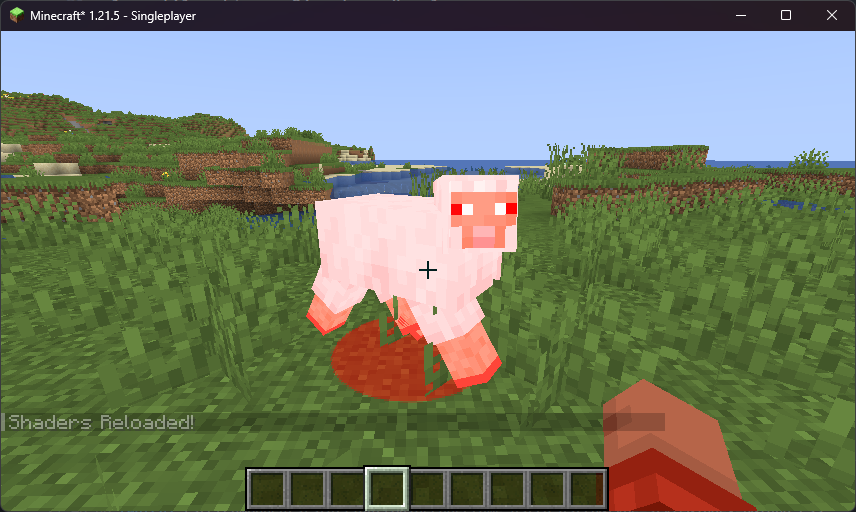
Our sheep is indeed red! Let’s go over the vertex shader as well.
#version 330 compatibility
out vec2 lmcoord;out vec2 texcoord;out vec4 glcolor;
void main() {  gl_Position = ftransform();  gl_Position.xy /= 2.0;  texcoord = (gl_TextureMatrix[0] * gl_MultiTexCoord0).xy;  lmcoord = (gl_TextureMatrix[1] * gl_MultiTexCoord1).xy;  glcolor = gl_Color;}
We’re dividing the position of each vertex by half, making them go closer to the entity’s origin.
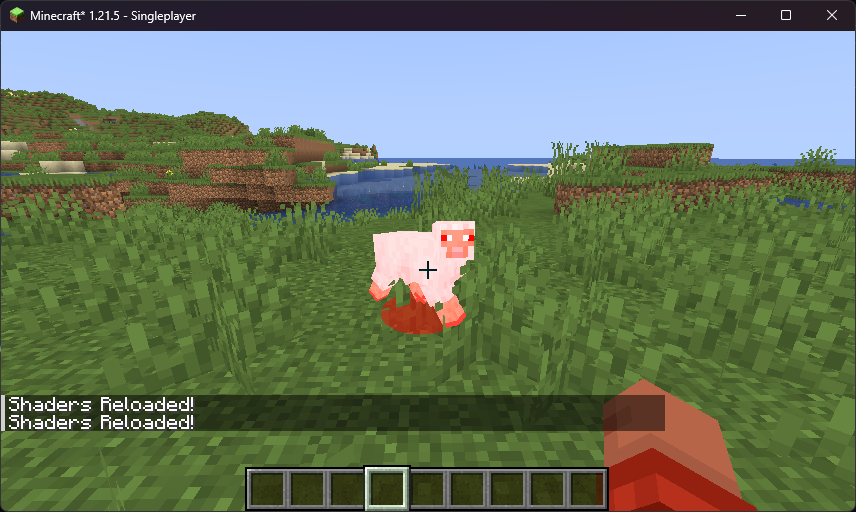
…thus making the sheep small! And thus - each .fsh and .vsh file (or program) determines how a given layer is rendered. Usually, these programs are executed in this sequence:
flowchart TB opaque["gbuffers (opaque)"] --> deferred["deferred"] --> translucent["gbuffers (translucent)"] --> composite["composite"] --> final["final"]All G-Buffers are processed at once, merged, then put into composite. Because of that, we usually apply shadows, reflections, etc. from composite - because each g-buffer runs independently of one another!
These programs are written in in GLSL. It works similar to C or C++ - with a few tweaks to make it specialized for shading! They run completely on the GPU, but are given data from Minecraft’s game world via…
Uniforms
Section titled “Uniforms”A uniform is a variable that stays constant during the execution of main. It’s given by the CPU to the GPU - so, it can contain stuff like entity textures and their colors! Let’s look at what uniforms we’re given in gbuffers_entity.fsh.
uniform sampler2D gtexture; // the texture atlas for the entityuniform vec4 entityColor; // a tint to apply to the entity. This is used for e.g. the color of sheep's wool!Using uniforms, we can get information from the game world from the GPU. There are a LOT of uniforms we have on hand - click here for a complete list.
Texture atlases
Section titled “Texture atlases”Minecraft is smart about textures - instead of swapping out textures for thousands of different blocks in the world, it uses just one. This one big texture is called an atlas - basically, a couple of smaller textures in a trench coat! Go take a look:
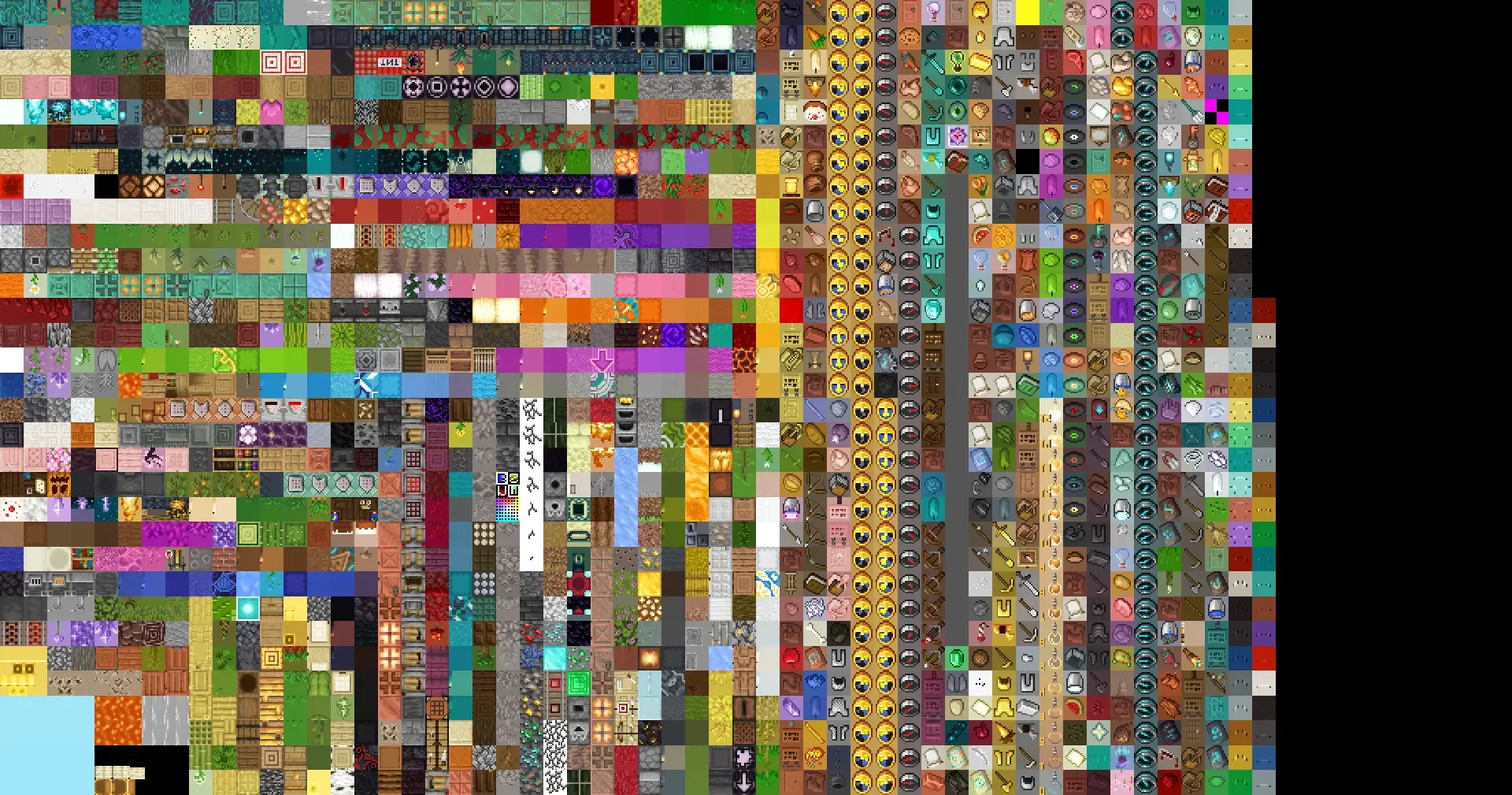
So, when Minecraft wants to change the type of a block, it just needs to shift the coordinate in the texture. It’s hella fast!
Input/output variables
Section titled “Input/output variables”Vertex shaders can pass outputs to fragment shaders. In our vertex shader, we can do this:
out vec2 lmcoord; // we define them here...out vec2 texcoord;out vec4 glcolor;
void main() {  gl_Position = ftransform();
  // ...then assign to them here!  texcoord = (gl_TextureMatrix[0] * gl_MultiTexCoord0).xy;  lmcoord = (gl_TextureMatrix[1] * gl_MultiTexCoord1).xy;  glcolor = gl_Color;}
…and we can then reference these outputs in the fragment shader!
in vec2 lmcoord;in vec2 texcoord;in vec4 glcolor;This is pretty darn important, as light levels are encoded in the vertices. While we’re talking about that…
Light levels
Section titled “Light levels”Take a look at this torch:
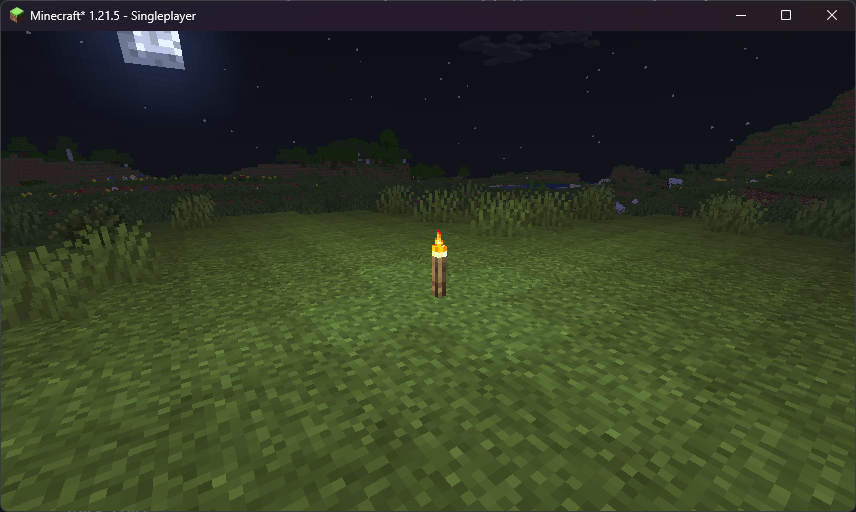
Notice how the light levels decrease the further we go from the torch. Minecraft stores the light levels in the vertices themselves! In our template, we already are fetching light levels from the vertices to the lmcoord output. Let’s open up gbuffers_terrain.fsh to take a look:
#version 330 compatibility
uniform sampler2D lightmap;uniform sampler2D gtexture;
uniform float alphaTestRef = 0.1;
in vec2 lmcoord;in vec2 texcoord;in vec4 glcolor;
/* RENDERTARGETS: 0 */layout(location = 0) out vec4 color;
void main() {  color = texture(gtexture, texcoord) * glcolor;  color *= texture(lightmap, lmcoord);  color = vec4(lmcoord.x, 0, 0, 1);  if (color.a < alphaTestRef) {    discard;  }}
…reload, and take a look:
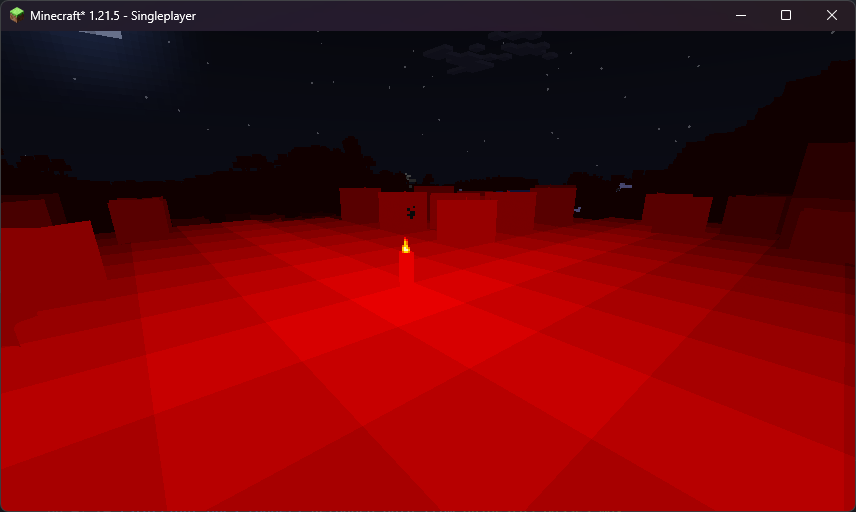
So - lmcoord is a vector that gives us the light levels. We have the light level emitted by blocks (torches, furnaces, etc…) in X, and the sky light level (decreases when we are e.g. in a cave) in Y.
An important note is that lmcoord is in the range of [0.033, 0.97], which isn’t too useful - you can use this formula to make the range a more sane [0.0, 1.0]:
lmcoord = lmcoord / (30.0 / 32.0) - (1.0 / 32.0);Render targets
Section titled “Render targets”We use render targets to transfer data between passes - mainly from gbuffers to composite and final.
We have 10 different buffers at our disposal, indexed 0 through 9. Each buffer stores 4 values for each pixel - RGBA, XYZW, whatever! We define what we’ll be writing to with RENDERTARGETS:
/* RENDERTARGETS: 0 */This specifies to which textures we will be rendering to. This is really useful when we’ll be doing deferred rendering in the next chapter.
The first (index 0) render target is usually used for the color of the texture. For example - we could write to buffer #0 in gbuffers_terrain.fsh:
/* RENDERTARGETS: 0 */layout(location = 0) out vec4 color;
void main() {  color = texture(gtexture, texcoord) * glcolor;}
…and then read that from composite.fsh:
#version 330 compatibility
uniform sampler2D colortex0; // the g-buffers wrote to this!
in vec2 texcoord;
/* RENDERTARGETS: 0 */layout(location = 0) out vec4 color;
void main() {  color = texture(colortex0, texcoord); // in our case, we just return what we had in the buffer #0.}
It is important to remember that for layout(location = N), N refers to the RENDERTARGETS directive. So, if we were to define /* RENDERTARGETS:6,7 */, then we’d write:
layout(location = 0) out vec4 myFancyData; // writes to colortex6layout(location = 1) out vec4 someOtherFancyVector; // writes to colortex7All numbers in render targets also must be between 0.0 and 1.0, unless we explicitly change that (and affect performance). It’s also recommended to always set the 4th component (the alpha) to 1.0, so that the GPU doesn’t mistakenly do any blending or skip writing.